Built in collaboration with BibleShow.
For two decades, BibleShow has quietly served churches around the world — reliable software shaped by real church use, on Sunday mornings and every day in between. BibleCast was built from the ground up in collaboration with the BibleShow team, sharing the same translation library, the same keyboard-driven workflow, and the same non-commercial commitment — a modern, native Mac app.
If you've used BibleShow before, BibleCast will feel familiar within minutes — the same shortcuts, the same translations, the same core functionalities. If you haven't, you're stepping into software shaped by twenty years of operator wisdom.
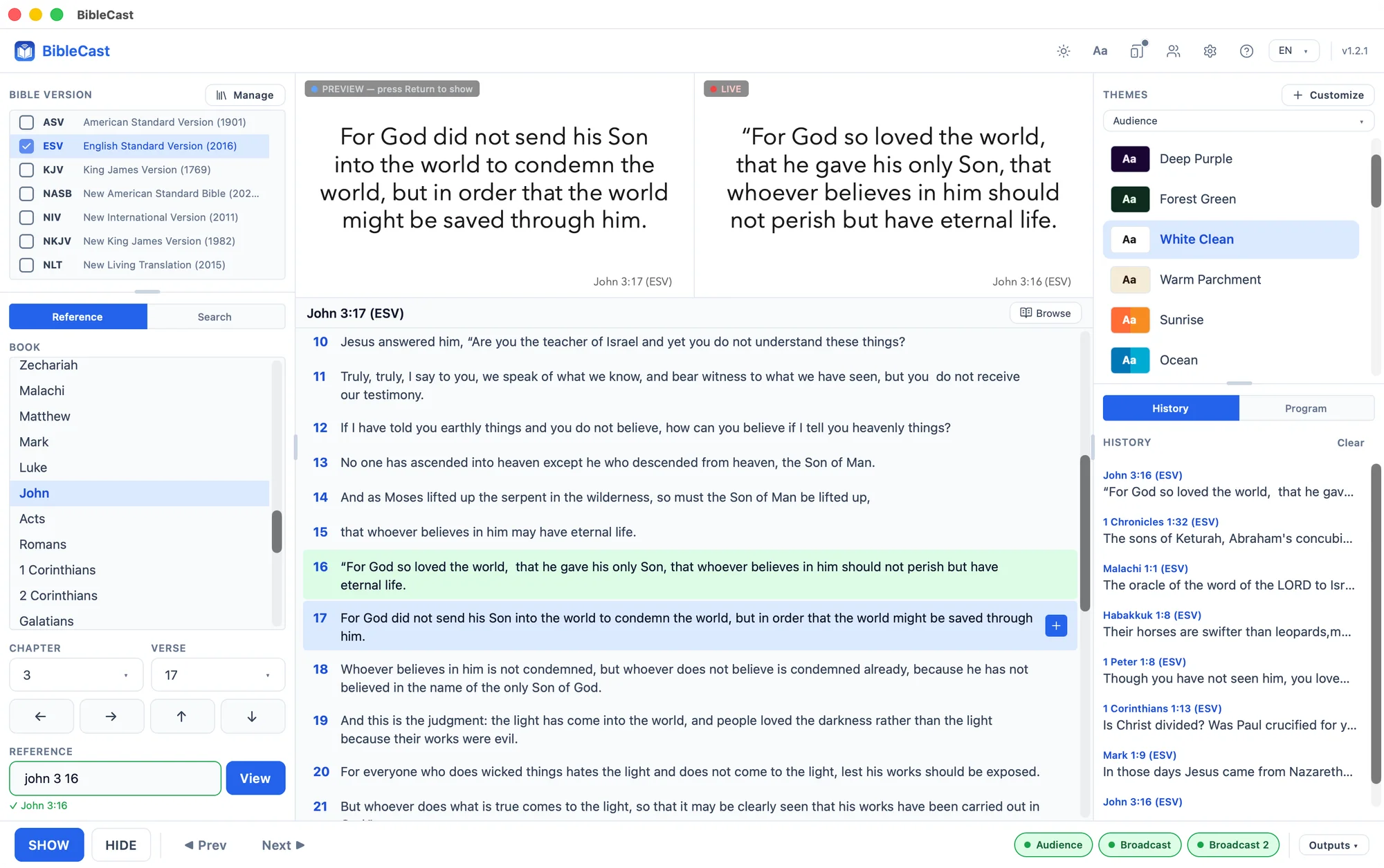
Designed for what actually happens on Sunday.
Eight things every other Bible app makes you fight for. We made them defaults.
Four display roles
Audience, stage, and two broadcast outputs — each with its own layout, theme, and resolution. Run an NDI feed and a recording feed at once.
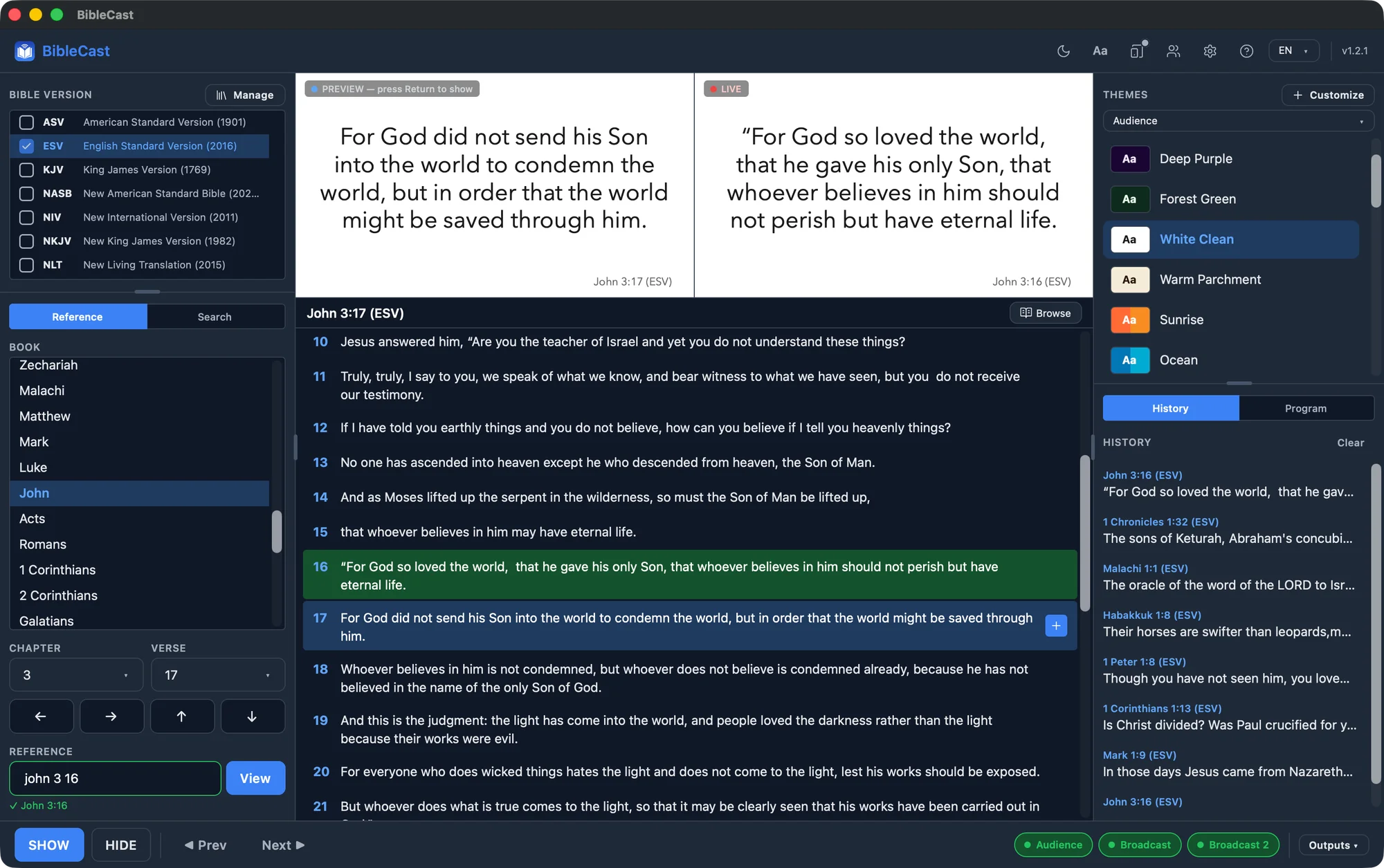
Theme & layout editor
Drag containers, snap to guides, restyle text, and set image or looping video backgrounds — with a tint overlay that keeps verses readable over busy footage. Every theme owns its own assets, so copying a profile never breaks.
NDI broadcast
Send a clean feed to OBS, vMix, ProPresenter, or any NDI receiver on the network — from any output, not just broadcast. No capture card, no shared screen tricks.
Built for keyboard
Every action is one key away. Show, hide, navigate verses. Mirrors BibleShow muscle memory — a Windows operator feels at home day one.
Profiles & portability
Save your full setup as a profile. Export to JSON, import on another machine. Carry your church's configuration on a USB stick.
Bilingual interface
The app UI ships in English and Romanian. Interface language and selected translation are independent — change one without affecting the other.
Program
Build an ordered playlist of verses for a service or sermon — reorder, save, and step through them live.
Phone & tablet remote
Drive the projection from across the room. Scan a QR code and your phone becomes the remote — show, hide, navigate, and browse, all over your local Wi-Fi.
Four roles, one keyboard.
Audience, stage, and two broadcast outputs. Each with its own theme, layout, and resolution. Project the verse on the sanctuary screen, give the preacher a stripped-down confidence view on stage, pipe a 16:9 NDI feed into OBS or vMix, and a vertical 9:16 feed to TikTok or Reels — all from one keyboard, without ever leaving your seat at the booth.
- ✓Audience — themed, full-bleed, made to fill a sanctuary screen
- ✓Stage — black background, large white text, with the next verse queued
- ✓Broadcast — landscape 16:9 NDI feed with a lower-third strip on transparent, for OBS / vMix
- ✓Broadcast 2 — vertical 9:16 NDI feed for TikTok, Instagram Reels, YouTube Shorts
Stream without a capture card.
BibleCast publishes an NDI source on your local network the moment you enable NDI on any output — audience and stage, not just broadcast. OBS, vMix, ProPresenter, or any NDI receiver picks it up over the network. Verse, theme, lower-third — all of it, real time.
- ✓Native NDI output — works with current NDI (incl. NDI 6)
- ✓Auto-fallback prompts you to install NDI Tools if it's missing
- ✓Independent broadcast theme — different from what's on the projector
Drag, snap, ship.
Free-position your verse and reference containers on a Figma-style canvas. Smart guides snap to thirds, centers, and other container edges — pixel-perfect alignment without measuring. Each output role gets its own layout, saved alongside the rest of your profile.
- ✓Free positioning — containers go anywhere on the canvas, any size
- ✓Snap guides — thirds, centers, and other container edges
- ✓Per-role layouts — the same verse renders differently for Audience, Stage, and Broadcast
- ✓Visual canvas — no layout config to wrangle, just drag
A different theme for every screen.
Audience, stage, and broadcast each pick their own theme — independently. Twenty presets ship for the audience role (Sanctuary, Cream Serif, Charcoal Warm, Royal Purple, and more), with sensible defaults for stage and broadcast. Or design your own for any role: backgrounds, fonts, colors, lower-third assets, all with live preview.
- ✓Audience, stage, and broadcast each pick their own theme — change one without affecting the others
- ✓Twenty audience presets ship in — Sanctuary, Cream Serif, Royal Purple, Charcoal Warm, and more
- ✓Color picker, font picker, opacity, gradients — all with live verse preview
- ✓Each theme owns its image assets — backgrounds and lower-thirds travel with the theme when you export
Every action, one key away.
BibleCast mirrors BibleShow's bindings — a Windows operator transitions in a single service. Smart focus never fights your text input: output shortcuts pause while you're typing in the reference or search field, and resume the moment you leave it.
- ✓Bare keys for the cases that matter (Return, Esc, PageUp, PageDown)
- ✓⌘ K and ⌘ F as modern aliases for F6 / F5
- ✓Up / Down navigate the preview without touching the live screen
Three steps. Then it gets out of your way.
Pick the verse
Type a reference, scroll the picker, or full-text search across every translation you've installed. Accent-insensitive — works in Romanian without diacritics too.
Choose a theme
Twenty themes ship in. Or design your own — backgrounds, lower-thirds, fonts, layout. Each output role can have its own.
Press SHOW
Verse appears on the audience screen with a clean fade. PageDown for next, PageUp for previous. Esc to hide. That's the whole loop.
Every translation, free to download.
Public domain or copyrighted, every module clearly attributes its rightsholder. The catalog grows continuously, in continuity with BibleShow's long-running library.
Questions church operators ask.
Sunday deserves better than a slide deck.
Native macOS, built for the local church. BibleCast is, and will remain, a non-commercial project.
Download for macOS